Exit slips, exit tickets, tickets out the door, quick-checks, check-ins, show me what you know’s…whatever you call them, they’re incredible teaching tools that every secondary math teacher should be incorporating into their regular teaching practice. In this first installment of the Everything You Ever Wanted To Know about Using Exit Tickets in your Math Classroom series, and I wanted to dive straight into the reasons why YOU, yes you, will benefit from using exit tickets in your classes. No need to waste any time, let’s get into it!
Even without the extra added layer of distance teaching due to COVID, using computers/Chromebooks/iPads in the classroom is becomming more and more commonplace. I’ve been fortunate to have Chromebooks in my classroom for the past three years and they have been total gamechangers!
Over the last several years, I’ve learned some do’s and dont’s about how to take a plain old, normal PDF file and turn it into something your students can use digitally in an interactive way. I happen to use Google Classroom, but you can adapt these tricks to whatever platform you have access to. Here are my tips with step by step examples!
What’s in the video?
In this video, I will show you three tips for turning regular PDF files into digital resources your students can use and interact with on Google Classroom along with step-by-step examples. Use these tips to up your teaching game and create a more valuable distance learning experience.
How to select specific pages of a PDF to provide, digitally, to your students. Many times, they don’t need every page and there’s just a specific handful that you want to provide. Here’s how to do that!
How to turn a regular PDF resource into a digital resource that students can show their work on and you can, in turn, provide feedback on.
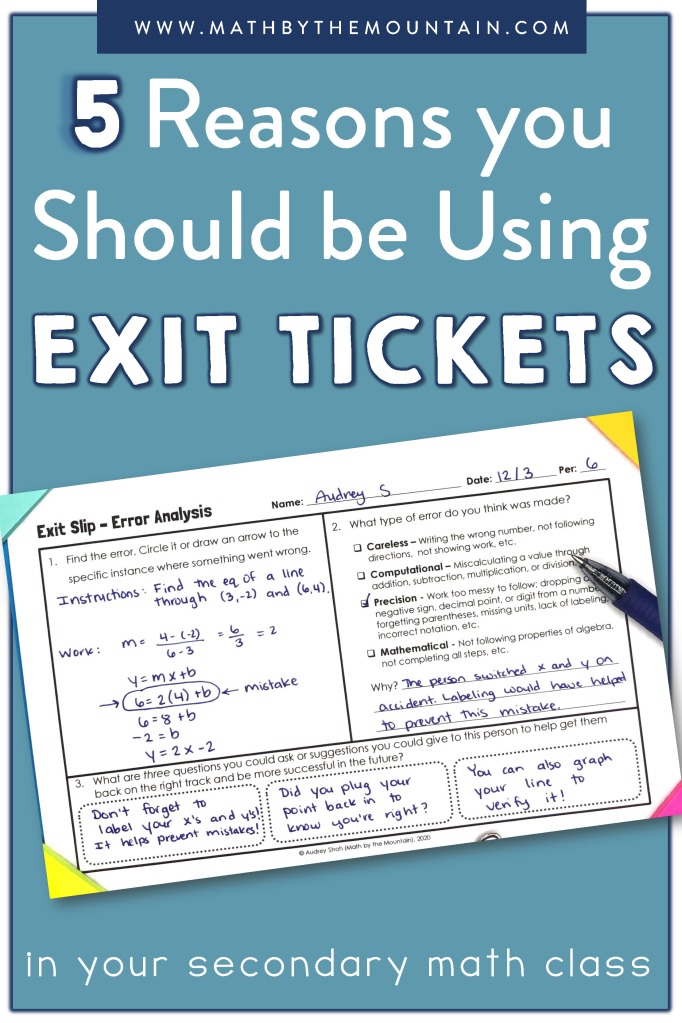
How to create digital exit tickets for your students. They can show their work and express their thinking, and you can review their work, electronically, and provide feedback electronically, as well.
Here are some of my best quick tips!
Familiarie yourself with Print to PDF. This will allow you to select only the pages you want for your students.
If you want to post a reference/reading/note material for your students that you do NOT want them to edit/change, use the print to pdf otpion to select your specific pages, if necessecary, and post it as a material to Google Classroom.
If you DO want your students to edit/change/interact with the resource you are posting to Google Classroom, make sure to post it as an assignment, and don’t forget to change the setting to “make a copy for each student.”
If you want to make an interactive/editable resource, use Pdf2jpg.netto convert the PDF page(s) into image files. Use this option if you’re taking full pages at a time. If you plan on using partial pages at a time (like half-sheets, for example), use the built-in screen shot feature in your computer. I use the snipping tool that is built into my Windows HP computer! Either way, make sure you set these images as the background of the Google Slide. Do not simply insert them as an image. Your students can delete them by accident.
I hope you have been able to learn some easy to implement tips and tricks to take your regular old PDF’s into interactive digital assignments for your students!
It’s that time of year again…you’ve had a bit of a break and now your mind is going wild with ideas for the new school year. To keep your time and efforts focused (and your stress levels down), I’ve created a list of 20 things to do to prepare for the new school year.
If you’re looking to regain some of your essential time, this is a post for you! Many of the daily systems teachers have setup for themselves and students can quickly turn into time-sucks. Now, I’m not talking about the ever-important relationship building part of teaching, but the nitty-gritty paper passing out, finding absent work, and making seating charts side of things. I’ve found a few ways to streamline my routines and classroom practices so that I can stop wasting my own time by being inefficient. Here’s my tips for you:
Back to school season is stressful, can we all agree? I remember when I was a new teacher and the thought of Open House was terrifying to me (I mean, it’s still fairly stress inducing, but I’ve found ways to minimize that). Dozens of parents in one room staring at you (with what feels like a far more critical eye than their students) is enough to make anyone feel the pressure. It was always important to me to make a good impression during Open House so it could set the tone for the year. It is the first point of contact for many parents, after all.
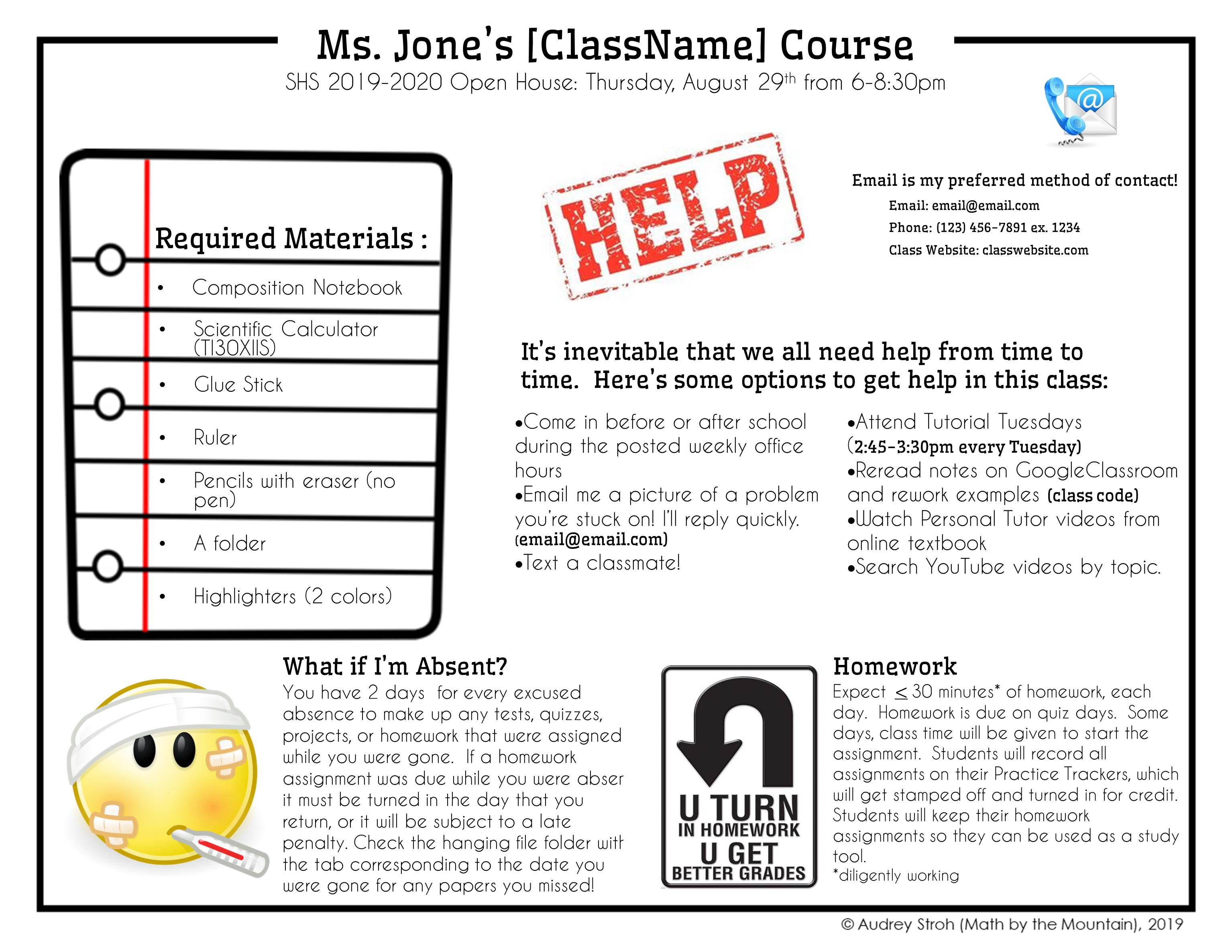
Something that really helped calm my nerves was to make sure that I had an informational and professional looking handout that I could give to parents that gave them all of the necessecary information they’d like to know in one place. It also helped ME by giving my 15 minutes with them during Open House structure and I was really comforted by having something tangible to reference that they could all see with me.
I wanted something parents could physically take home with them because going to open house is overwhelming, especially if they have multiple children. I chose to make a short flyer that covers the biggest takeaways for the class and I wanted it to be something they could look back to over the school year as a reference for the course (where to contact, ways to get help, ect.). This flyer doesn’t contain all of the information for each class, though. Once school actually starts, I’ll send home a syllabus with all of the nitty-gritty details.
Although still a bit stressful, I love open house because I get a chance to meet parents face to face prior to confrences over Thanksgiving (that’s a long, long way into the year), and I like having the chance to speak about required materials before the year begins. I’ve been shopping for school supplies for long enough that I know most of the deals and can let parents know the best places to shop for what. I know money is tight for a lot of people, so this is also a chance to talk about priorotizing and what the school has a limited supply of for students who need it. For example, our school has a small amount of calculators that can be checked out for the year from the library, but a lot of students don’t know about it! This is the perfect thing to discuss prior to the school year starting.
I’m also a fan of Open House because I have the chance to tell parents about the many ways students can get help throughout the year and give them an idea of what the classload will be. On the back side of the flyer (not pictured), I photocopy some school-specific information about how to access the online textbook and I print a HUGE picture of a few calculators I’d reccomend buying/checking out, if they don’t already have one.
Here’s the flyer I’ve used year after year. I’ve tweaked it to work perfectly for each of my classes!
If you’d like to use my open house flyer in your classroom, I’ve got good news for you! It’s an exclusive freebie for the Math by the Mountain Club! It’s 100% editable so you can customize it to your exact needs. Join here!
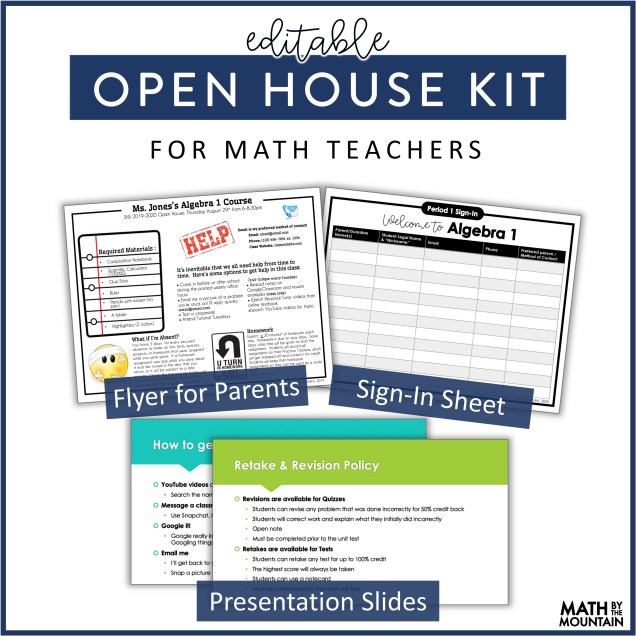
On top of that flyer, I’ve also made a whole Open House Kit that you will receive, for free! You’ll get a PowerPoint presentation (totally editable, of course) and a sign-in sheet for parents to use and for you to collect up-to-date contact info!




 Math by the Mountain